
Hub Video Downloader
DOSA AppsVideo Players & Editors
4.5844.00 Reviews
- Version
- 3.1.5
- Installs
- 10.00M
- Age Rating
- Everyone
Screenshots
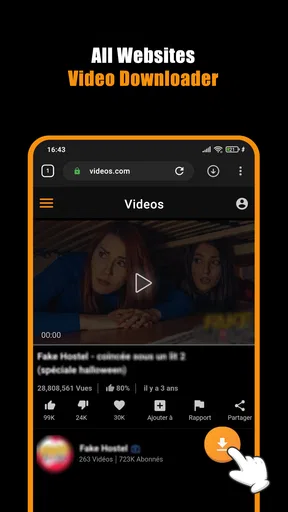
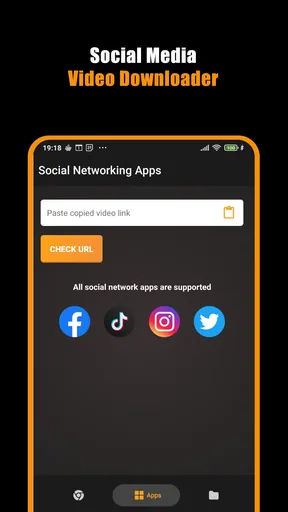
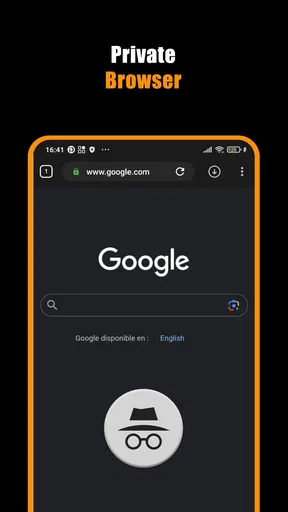
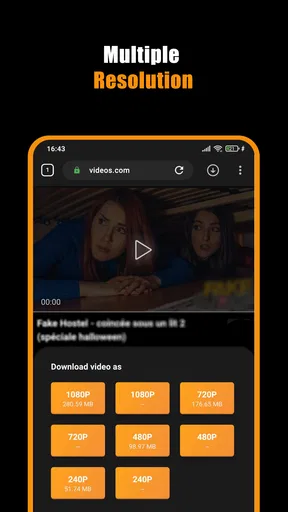
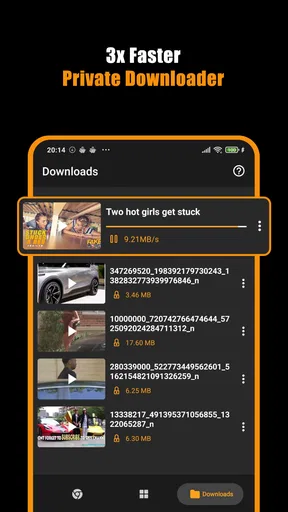
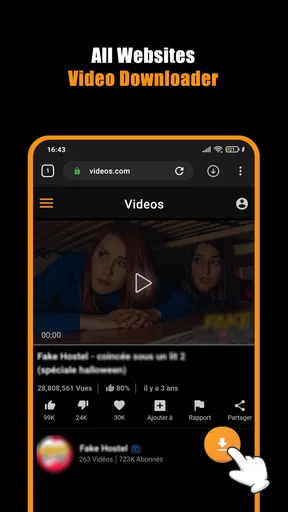
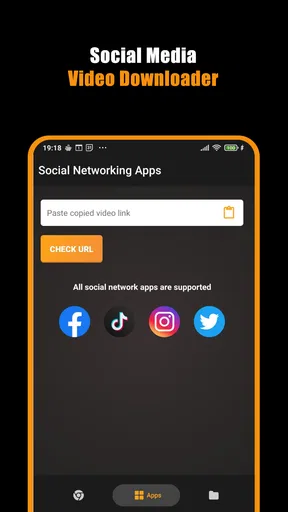
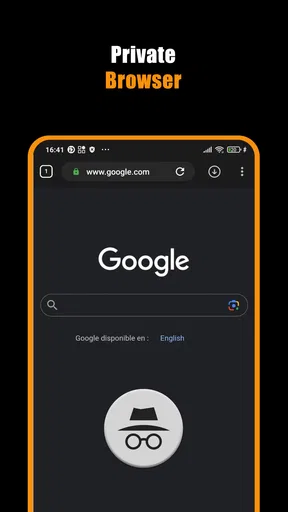
Our Review of Hub Video Downloader
 Analysis by Appyee
I tend to judge a video-downloading app less by the novelty of saving a clip and more by whether it still earns a place on my phone once that novelty wears off. Hub Video Downloader, made by DOSA Apps, is built around a simple habit: keep videos available to watch when a connection is inconvenient. That can be useful, but it is only worthwhile if the app fits the way you actually find and revisit videos.
The appeal is immediate, but the routine matters
In the first few days, the idea is easy to appreciate. A clip you want to show someone later, a tutorial you might need again, or a video you would rather not hunt for a second time can be kept for offline viewing. The app is free to install, rated for Everyone, and sits in the video-player and editing category. It has a 4.8 average from around 25,000 ratings, which suggests plenty of people find the basic proposition appealing.
The practical test comes after the first saved video: can you get back to it without turning your phone into a jumble of forgotten files? I would treat downloads as a small personal library rather than a pile. Save clips with a reason to revisit them, watch them, and remove the ones that have served their purpose. That habit matters more than a clever download button, particularly on a phone where storage is shared with photos, messages, and other apps.
Where it fits into an ordinary day
Imagine finding a useful cooking demonstration while browsing at home, then wanting to follow it in a kitchen where your connection is patchy or your hands are busy. Saving it beforehand can remove the need to keep reopening a social feed and searching for the same post. The same approach works for a short exercise demonstration or a reference clip you plan to show a friend. These are modest use cases, but they give offline access a clear purpose instead of encouraging downloads simply because the option is there.
There is a trade-off: a download is useful only if the app can access the video from its source and the saved copy remains easy to locate. Social platforms change how they handle content, and not every video is necessarily available to save. I would test the specific source and workflow you rely on before making this a regular part of your routine. For content you do not own, permission and copyright still matter; being able to save something does not automatically make reuse acceptable.
How it compares with familiar alternatives
Compared with watching inside a social app, a separate downloader can be more convenient when you want a clip available offline or want to preview a saved video in one place. The trade-off is an extra step: find the video, use its address in the downloader, then manage another copy on your phone. If you only watch clips once, the original platform is usually simpler. If your main goal is organizing a large media collection, a dedicated file manager or media library may be a better fit than a lightweight download-focused app.
Hub Video Downloader has attracted over a million installs, but reach alone does not tell me whether it belongs on every phone. It is a better match for someone with a recurring need for a few offline clips than for someone who downloads indiscriminately or expects one tool to manage every kind of media. The current version is 3.1.2.2, and the app supports devices running Android 8.0 or later. In-app purchases range from $0.99 to $99.99 per item, so I would check what an optional purchase is for before paying; the free starting point is enough to judge whether the core workflow suits you.
Getting Started: First Impressions
Jumping into the app for the first time, I was pleasantly surprised by its user-friendly interface. You know how some apps bombard you with features right off the bat? Not here. Hub Video Downloader keeps it simple and straightforward. The main screen features just a few intuitive buttons and a search bar, making it easy to navigate.
Installation was a piece of cake. It's available on both Android and iOS, so no worries there. I downloaded it in less than a minute and was good to go.
Features That Stand Out
One of the app’s standout features is its ability to download videos from various platforms, including social media giants like Instagram and Facebook. It’s like having a Swiss Army knife for video downloads in your pocket. Plus, it supports multiple file formats, so you can choose the one that suits your needs best.
Another cool feature is the built-in video player. This means you can preview your downloads without switching apps. It’s the little things that make life easier, right?
"It’s like having a Swiss Army knife for video downloads in your pocket."
How It Works: The Nitty-Gritty
Using Hub Video Downloader is as easy as pie. Simply copy the URL of the video you want to download, paste it into the app, and hit download. Boom, you're done! The app takes care of the rest. What I love is that it doesn’t slow down your device, even when downloading high-quality videos.
If you're worried about storage, fear not. The app lets you choose the download location, so you can save videos directly to your SD card if space is tight on your phone.
Keeping the library manageable
For repeat use, I would make the save-location choice early rather than waiting until the phone is nearly full. A memory card can help on a compatible Android device, but it also creates one more thing to keep track of: if the card is removed or files are moved, saved videos may no longer be where you expect them. A small, deliberate collection is often more useful than filling available space with clips that are easy to forget.
One practical workflow is to save a video only when you know when you will watch it, then clear it after that moment has passed. For a recipe, keep the clip until the meal is done; for a how-to, keep it until the task is complete. This makes offline access feel like a convenience rather than a long-term archive project. If you need permanent storage, back up content you own through a method you already trust instead of assuming a downloader should serve as your only copy.
What may interrupt the habit
The copy-and-paste approach is approachable, but it depends on being able to retrieve a usable video address from the place where you found the clip. That extra handoff is the main friction compared with simply tapping play in a social app. If you save videos only occasionally, it is a minor inconvenience. If you expect to capture many clips while browsing, repeatedly switching between apps can make the process feel slower than the initial promise suggests.
Source availability is another reason not to build an entire routine around a single downloader. A post may be private, removed, restricted, or otherwise unavailable to save, and a changed platform workflow can affect what is possible. When a particular clip matters, check that the saved version actually plays before relying on it for a trip, lesson, or presentation. That quick check is especially useful when you will be offline later and cannot easily return to the original post.
Privacy, expectations, and sensible use
The app does not require an account or login in the workflow described here, which keeps getting started straightforward. I still would not treat that as a reason to save sensitive material casually. A video stored on a device can be seen by someone who has access to that device, and downloaded copies can be harder to keep track of than a link in a feed. I would be selective about what I keep and avoid saving private content without clear permission.
There is also a difference between having a file for personal offline viewing and being entitled to repost or distribute it. I would use the app for material I have permission to save, and keep the creator’s rights in mind if I plan to share anything beyond my own device. That distinction is worth remembering because the convenience of a local copy can make a clip feel more freely usable than it really is.
Who will get the most from it
This is most appealing to someone who regularly comes across short videos they genuinely need away from a stable connection, and who is comfortable managing saved files. It may suit commuters, travelers, students revisiting a visual explanation, or anyone who wants a few personal reference clips close at hand. The useful pattern is selective saving, not trying to turn every social feed into a permanent collection.
I would skip it if you mainly stream while online, rarely revisit clips, or want a polished system for cataloging a large collection. In those cases, the extra download-and-cleanup steps can outweigh the benefit. I would also choose the original platform when its own offline options meet your needs, since staying there avoids the handoff and keeps the video tied to its original context.
Security and Privacy
In today’s digital age, security is always a concern. I dug a little deeper to see how the app handles privacy, and I was relieved to find out that it doesn’t store any personal data. You’re not required to sign up or log in, which is a big plus for privacy-conscious users.
Why You Should Give It a Shot
If you’re someone who loves collecting videos for offline viewing, Hub Video Downloader is a must-have. It’s reliable, easy to use, and doesn’t mess with your device’s performance. Plus, it’s free! Who doesn’t love free stuff?
But remember, always respect copyright laws when downloading content. The app is a tool, and it’s up to us to use it responsibly.
Does it earn lasting space?
For me, the answer depends on whether offline clips solve a recurring problem. If I keep reaching for saved tutorials or videos during commutes and unreliable connections, a simple downloader can justify its place. If weeks pass without opening it, deleting it is more sensible than maintaining a library out of habit. Its value comes from a repeatable need, not from the number of files collected.
So go ahead, give Hub Video Downloader a whirl. Whether you're saving that adorable cat video or an insightful tutorial, this app has got you covered. Happy downloading!
Privacy and Permissions
See what permissions an app requests and how it handles your data.
- Wi-Fi connection information
- view Wi-Fi connections
- Other
- view network connections, full network access, control vibration, prevent device from sleeping, install shortcuts, Google Play license check
Verdict
Strengths of Hub Video Downloader
- Fast download speeds for large files.
- Supports multiple video formats.
- User-friendly interface design.
- Allows background downloading.
- No account required for access.
Limitations of Hub Video Downloader
- Contains in-app ads.
- Limited features in free version.
- No built-in video player.
- Occasional download errors.
- Lacks detailed user support.
Other Releases by DOSA Apps
View All
Cube Cipher - Cube Solver
Educational4.5

Recover Deleted Photos App
Photography4.4

Cleanup Your Phone
Personalization4.5

Microphone Amplifier
Medical4.2
Similar Picks in This Category
View All
Google TV
Google LLC3.9

iTunes
Apple4.7

YouTube
Google LLC3.8

MX Player
Amazon Mobile LLC4.2

CapCut - Video Editor
Bytedance Pte. Ltd.3.5

PLAYit-All in One Video Player
PLAYIT TECHNOLOGY PTE. LTD.4.5
Frequently Asked Questions
What is Hub Video Downloader and how does it work?
Hub Video Downloader is a versatile app designed to download videos from various online platforms directly to your device. It works by allowing users to paste video URLs into the app, which then fetches the video content for offline viewing. The app supports multiple formats and resolutions, making it a flexible choice for different download needs.
Is Hub Video Downloader free to use, or are there any hidden costs?
While Hub Video Downloader offers a free version with basic features, it also includes in-app purchases for advanced functionalities such as higher download speeds, removal of ads, and additional format support. Users can choose to upgrade to a premium version for a more enhanced experience, but the core features remain free.
Can Hub Video Downloader download videos from all websites?
Hub Video Downloader supports a wide range of popular video-sharing websites, but not all. It excels with mainstream platforms but may have limitations with some sites due to copyright policies and other restrictions. It's always best to check for compatibility with specific websites before attempting a download.
How safe is it to use Hub Video Downloader on my device?
Hub Video Downloader is designed with user security in mind, ensuring that downloads are safe and free from malicious content. However, users should always download the app from reputable sources like the official app store to avoid counterfeit versions. Regular updates also help maintain security standards.
Does Hub Video Downloader affect the performance of my device?
The app is optimized to run smoothly on both Android and iOS devices. While downloading videos, it may use some processing power and battery life, but it shouldn’t significantly impact overall device performance. Closing other apps while downloading can help maintain optimal device efficiency.
